Telegram bot captcha: verify newcomers without a ban
Looking for a captcha for a Telegram group? STOP SPAM asks newcomers to tap “I am not a spammer”: 30 seconds to confirm, only the first message is deleted, with no mute, ban or SpamRating.
Updated September 16, 2026. Matched to the current newcomer check and welcome-message permission.
What the newcomer check does
This is not a picture captcha. STOP SPAM asks a newcomer for a short confirmation after the first safe message: open the bot and tap "I am not a spammer".
If confirmation does not arrive within 30 seconds, only that first message is deleted. The bot does not raise SpamRating, does not mark the person as a spammer and does not mute or ban for a failed check.
The check starts after a safe message. If the first message already looks like spam or a scam, the group's normal anti-spam rules apply.
Three modes
- Off. No verification is requested.
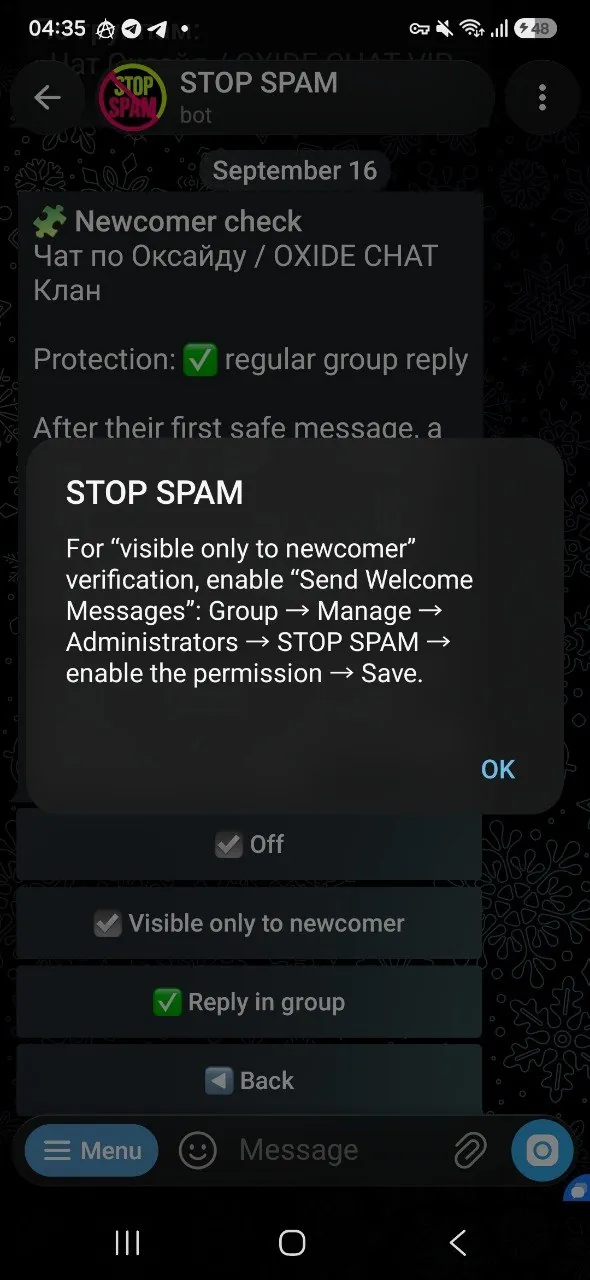
- Visible only to newcomer. Only the newcomer and the bot see the verification message. This mode needs Telegram's Send Welcome Messages permission.
- Reply in group. The confirmation request is posted as a normal group reply.
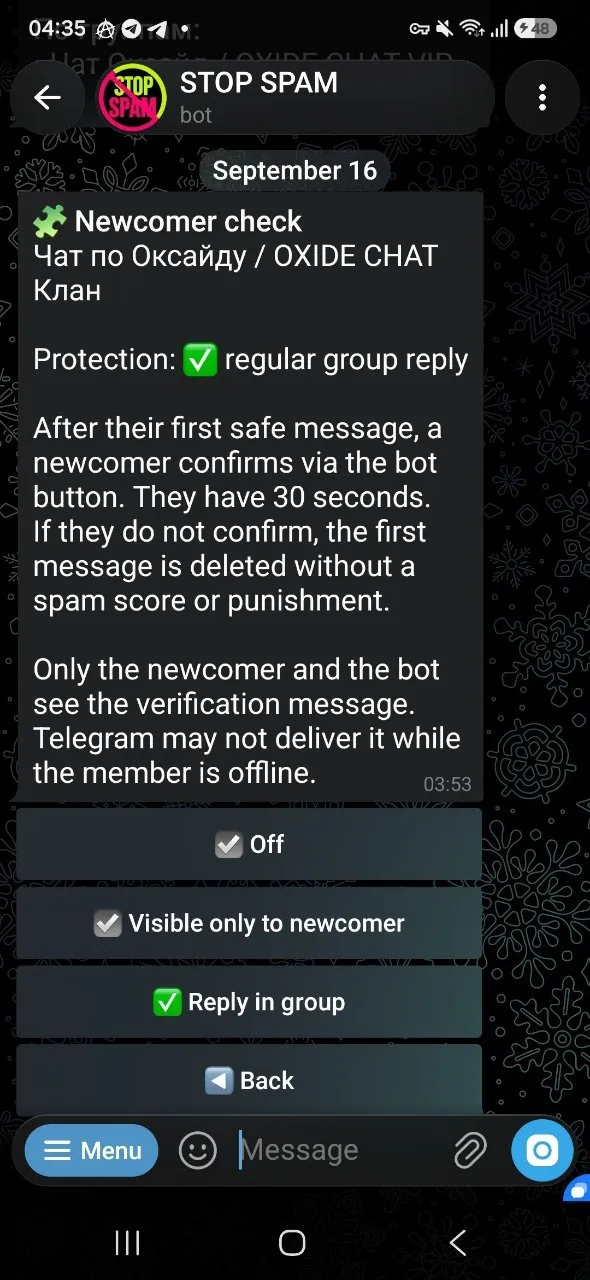
How to enable
- 1
Open the group settings
In a private chat with @stopusdt_bot, open AntiSpam settings and choose the group.
- 2
Open extra settings
Go to Extra settings, then System settings and Anti-swear.
- 3
Choose Newcomer check
Open Newcomer check and select Visible only to newcomer or Reply in group.
- 4
Check the welcome permission
For the newcomer-only mode, grant Send Welcome Messages and tap Check permission.
Required permissions
Any mode needs delete-message and restrict-member rights. The newcomer-only mode also needs welcome messages. Without it, the bot clearly shows which permission is missing.
Admin language and group language are separate
You can keep the private bot interface in Uzbek or Russian while group notices stay in English or another audience language. More about bot languages →
Newcomer captcha FAQ
Will the bot ban a newcomer who skips the button?
No. Only the first message is deleted. Mute, ban and SpamRating are not applied.
How is newcomer-only mode different from a group reply?
Newcomer-only is visible to the newcomer and the bot. A group reply stays in the chat feed.
Is a special Telegram permission required?
Yes for newcomer-only mode: Send Welcome Messages. A group reply needs delete and restrict rights.
Does every newcomer message trigger a check?
No. After the first safe message there is one 30-second check.
Check newcomers gently and keep the chat clean
The I am not a spammer captcha removes an unverified first message without branding the person as spam.